Baryta

You sent them to the NAS. You haven’t seen them since.

The photographs you worked hardest on, backed up twice and seen by no one. Baryta is the way back: open the drive you already have and relive them, on the Mac, the iPad, the iPhone and the television.

Get it on the App Store $24.99, once. One purchase for all of them.

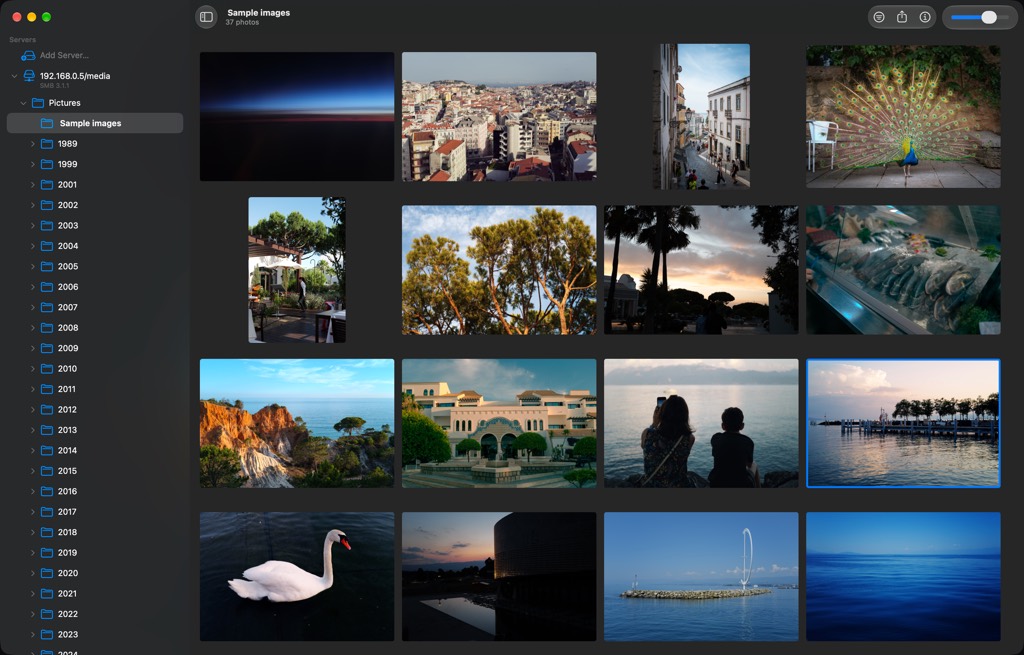
Baryta on the Mac. A sidebar lists a network server, a Pictures folder and year folders back to 1989, beside a grid of photographs with one tile outlined.

Your folders, as you left them.

A year. A trip. One afternoon. Open the drive you already have and they are there. That is the whole setup.
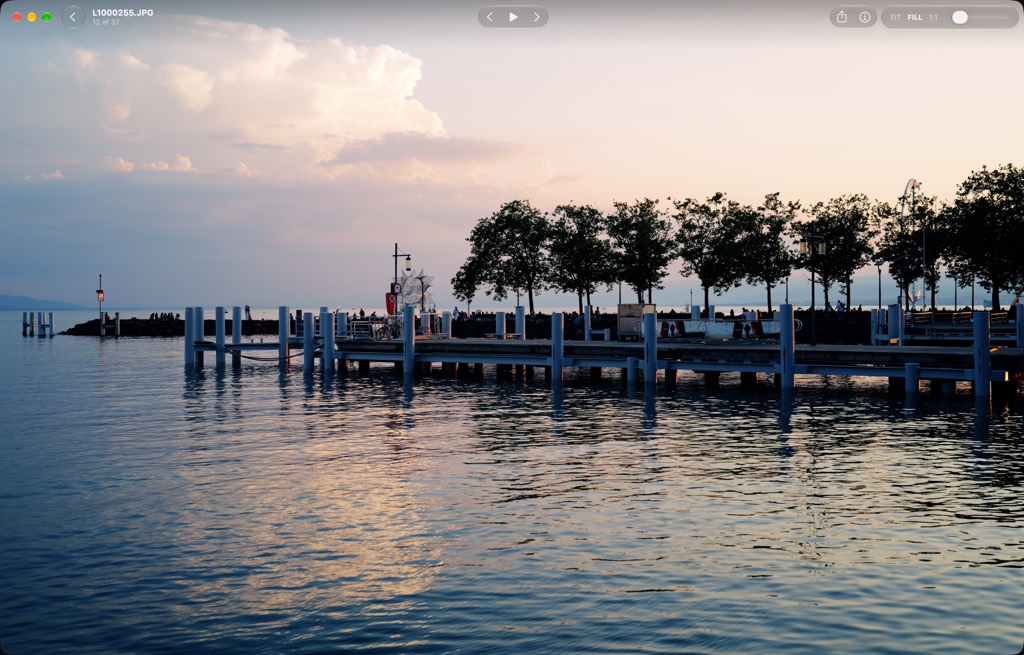
A photograph of a pier at dusk fills the window. The window bar shows the filename, previous and next, and the zoom controls.

Open one.

It flies out of its tile and fills the window.

The same photograph with the bar hidden. Nothing but the picture.

Then it is only the picture.

One key and everything else is gone. There was no filename in the viewfinder. There is none here.
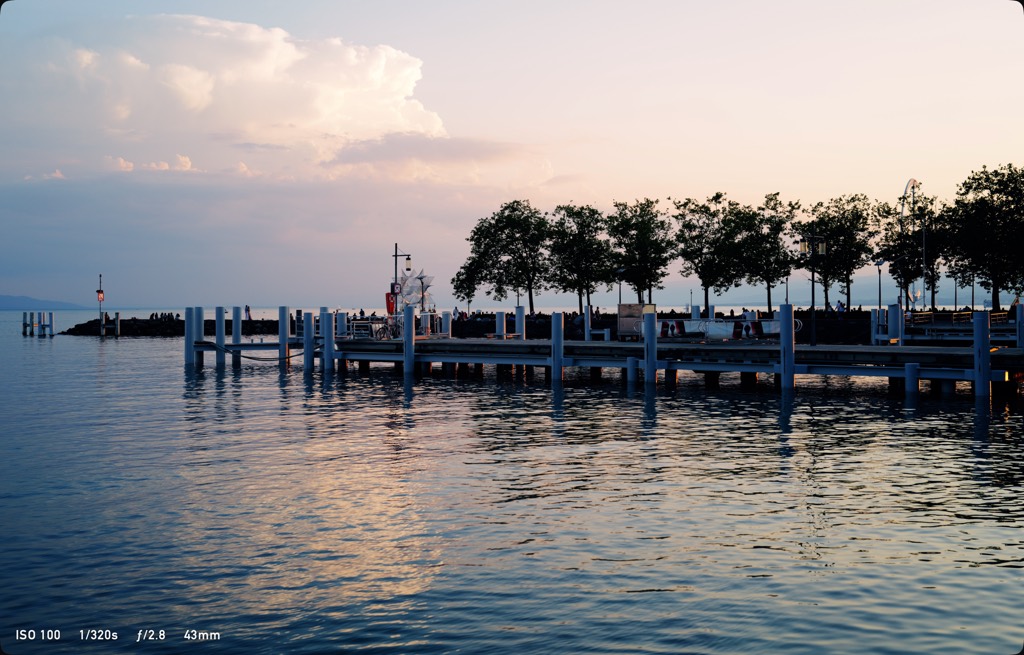
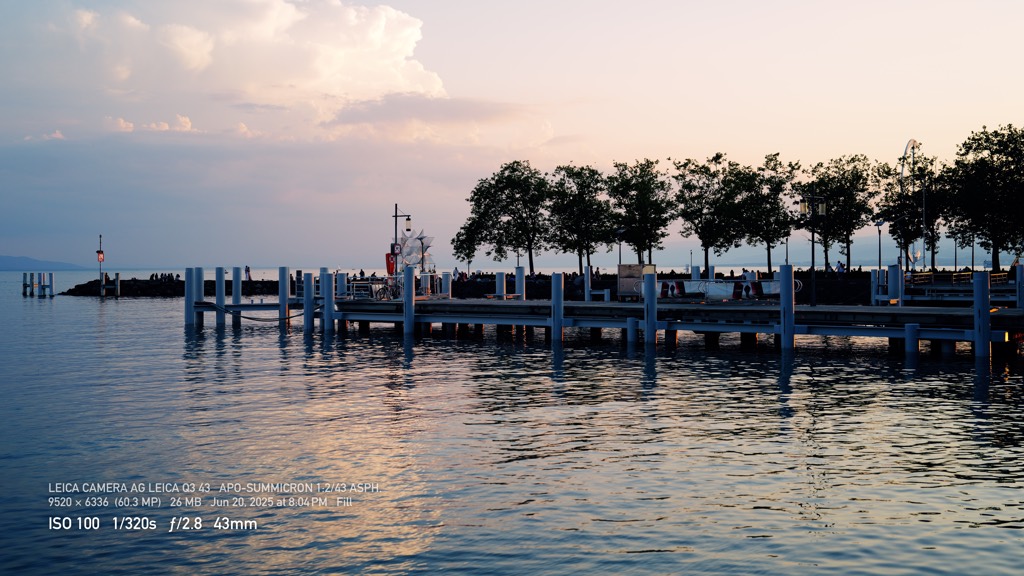
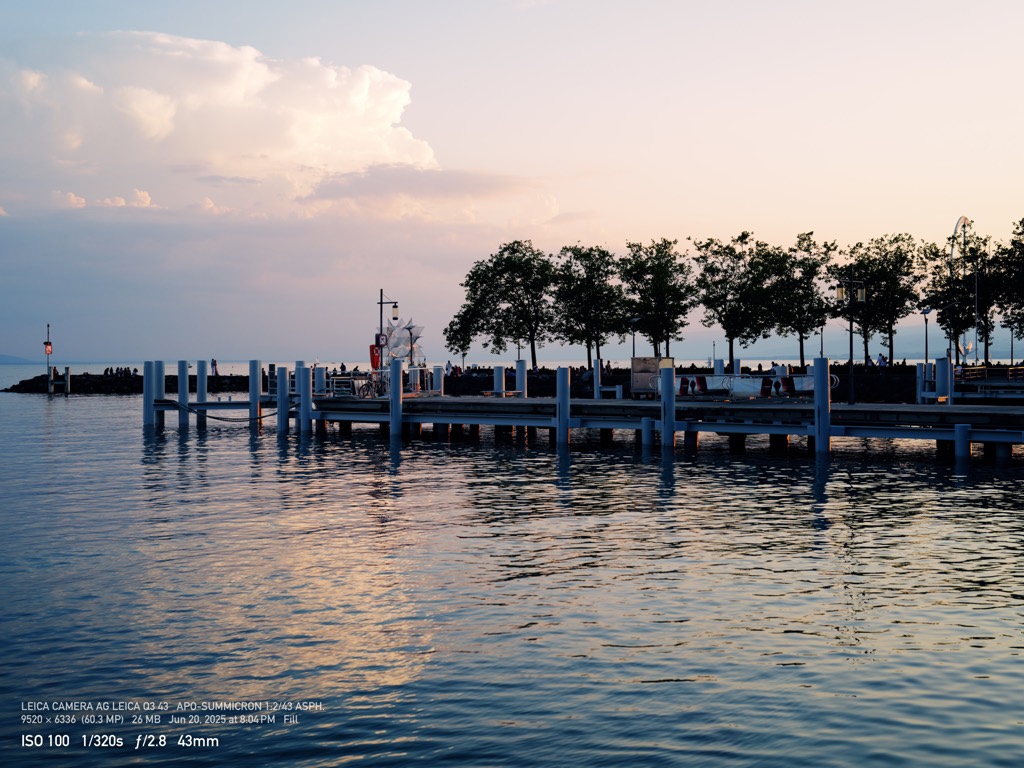
The same photograph with one line in the lower left: ISO 100, 1/320 s, f/2.8, 43 mm.

Ask, and the settings you shot it with appear.

One line in the corner. The rest stays with the picture.

The same, with the camera, the lens, the dimensions and the date added above the exposure line.

Ask again for the camera and the lens.

And the day, and the hour.
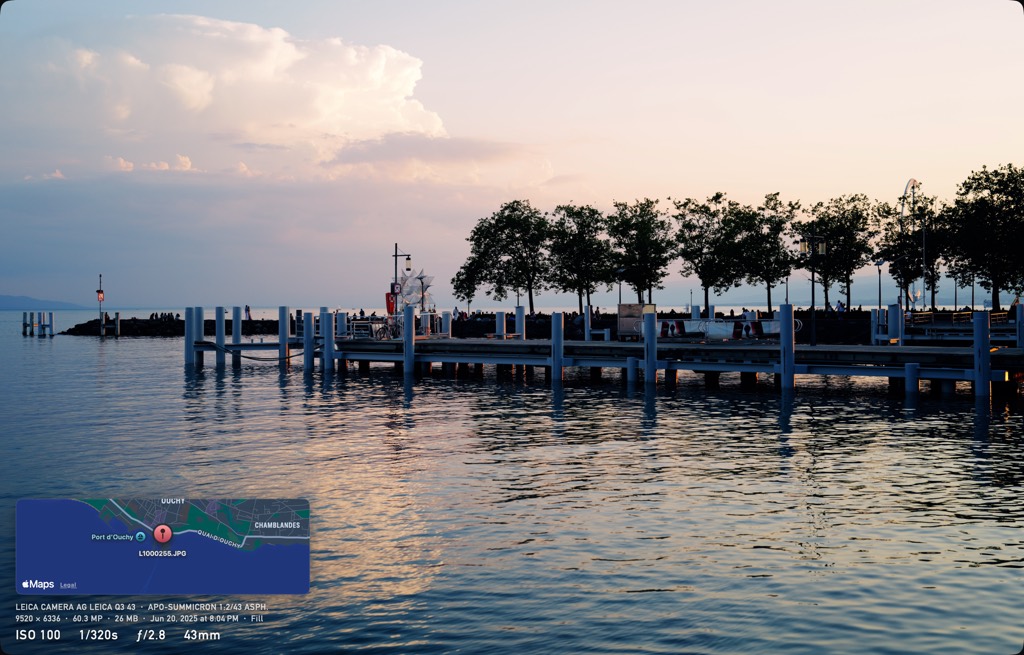
The same, with a map card above the readout marking Port d'Ouchy.

Once more for where you stood.

The map remembers the place. You remember the rest.

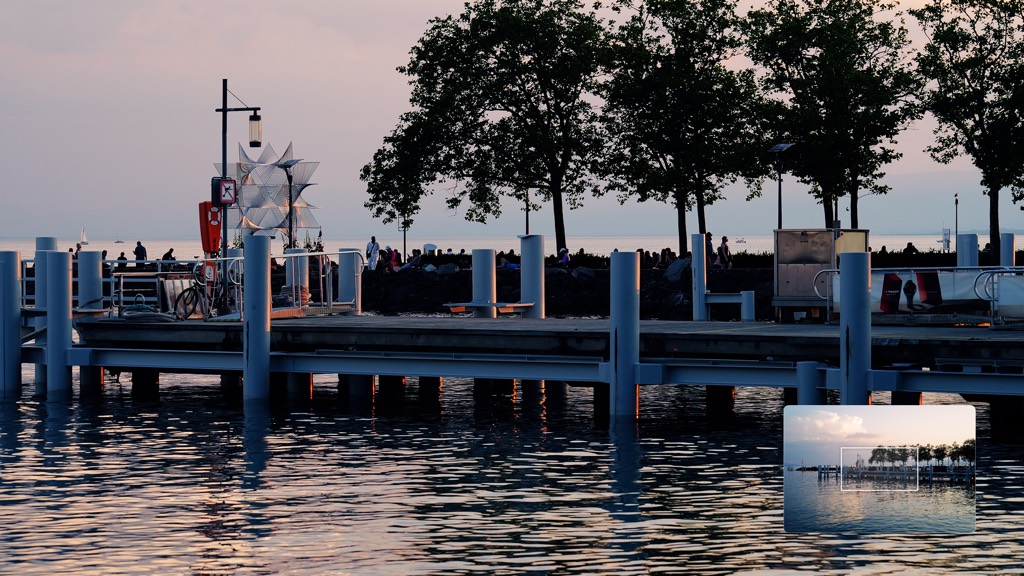
The photograph at 1:1, close on the pier's pillars and the people on it, with a navigator thumbnail in the lower right showing which part is on screen.

Closer.

Press a key and you are in the pixels: the whole file at its full size, straight from the NAS, with a small card to show where you are.
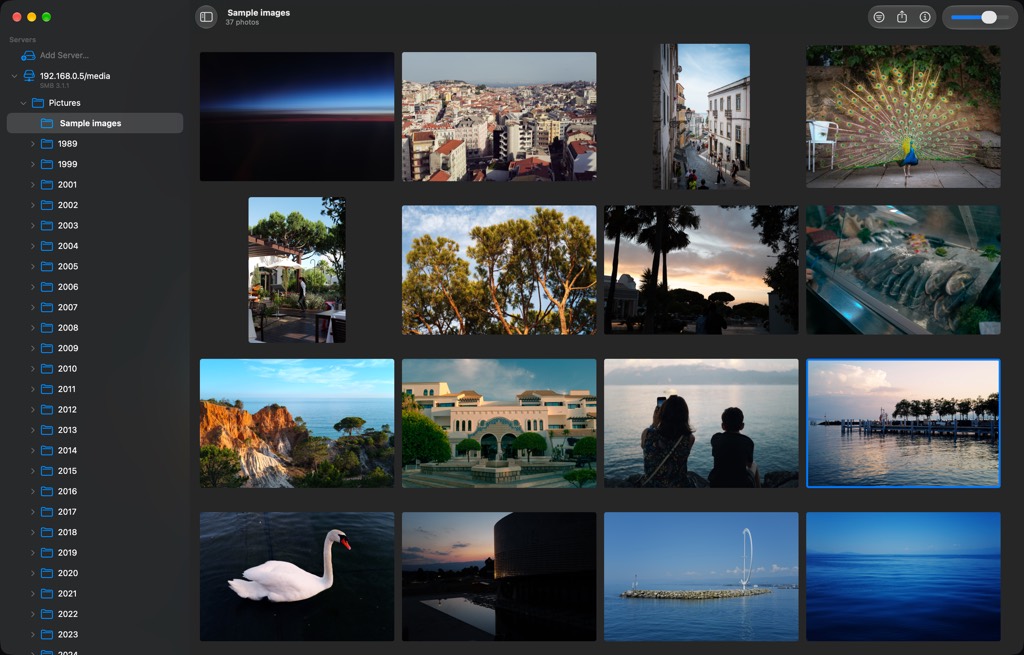
Back in the grid, with the pier's tile outlined where it was left.

And back to where you left.

Grid, photograph, slideshow: every way back lands on the picture you left.
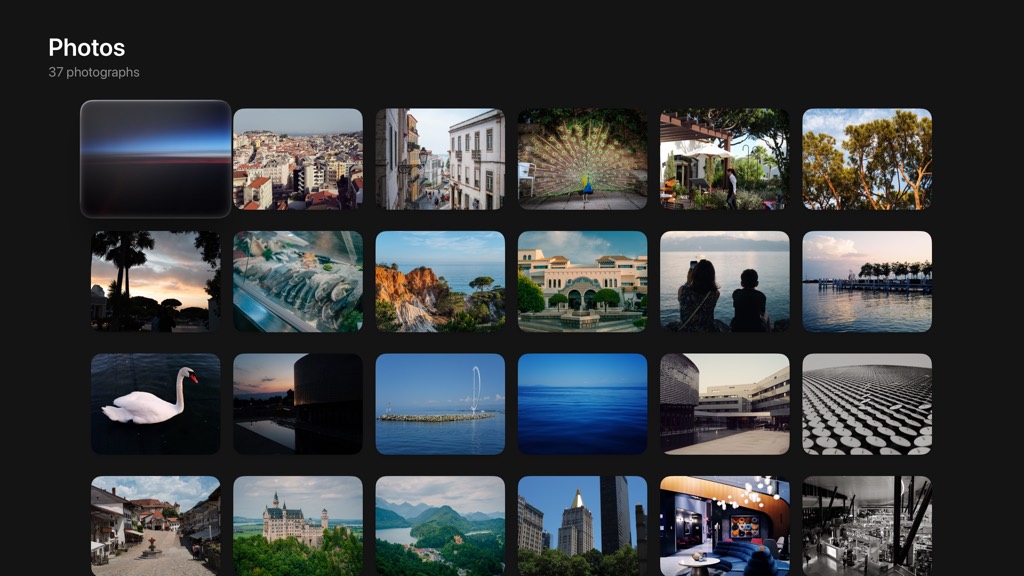
Baryta on Apple TV. A grid of 37 photographs on the television, the focus on the first tile.

Across the room.

The biggest screen in the house has never seen these pictures. Now it has your folders.

The pier photograph filling the television, with nothing else on screen.

Choose a folder and press play. The pictures go around: a cut, a dissolve or a fade, at the pace you set.

The same photograph with a two-line readout in the lower left: the camera and lens, then the exposure.

Press up for the settings you shot it with. Again for the camera and the lens. Again for nothing at all.

The photograph at 1:1 on the television, with an orientation card in the lower right showing the visible part of the frame.

Click, and walk in. The touch surface pans under your thumb.

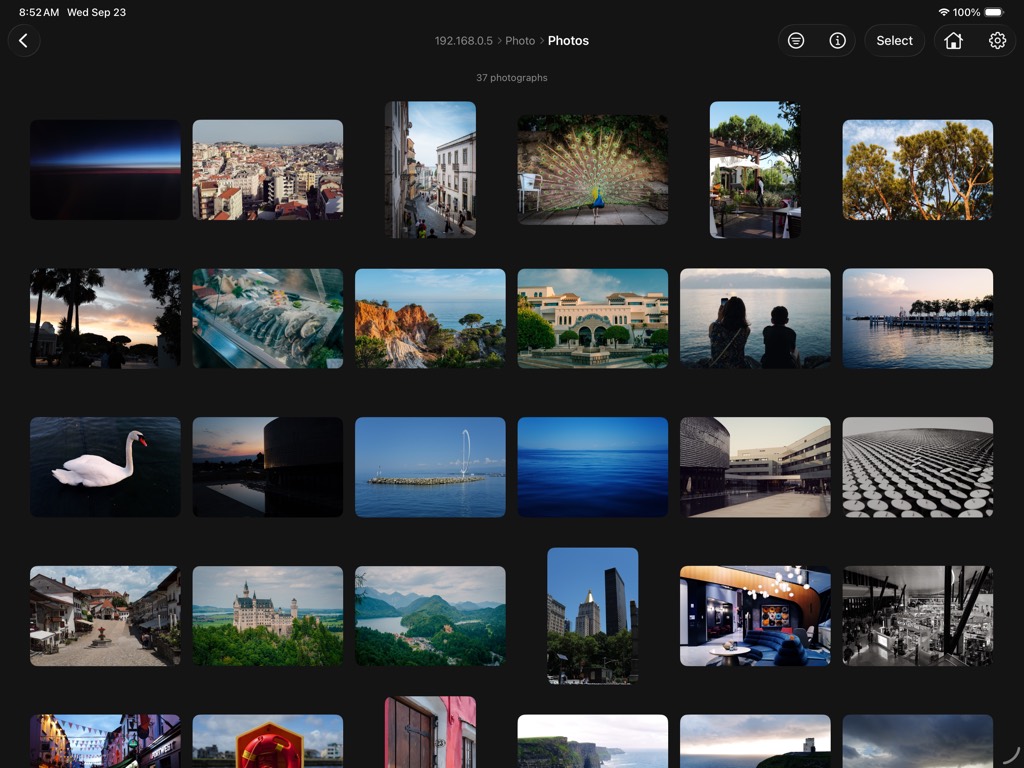
Baryta on iPad, in landscape. A grid of photographs under the folder's name.

In your hands.

The same drive, the same folders.

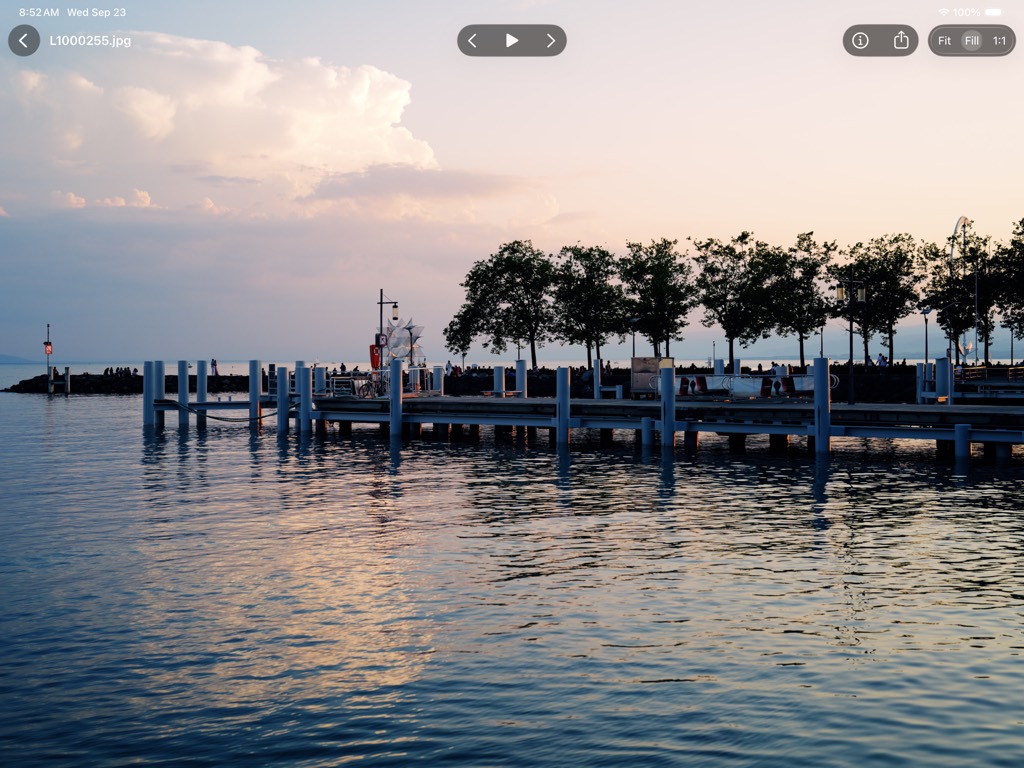
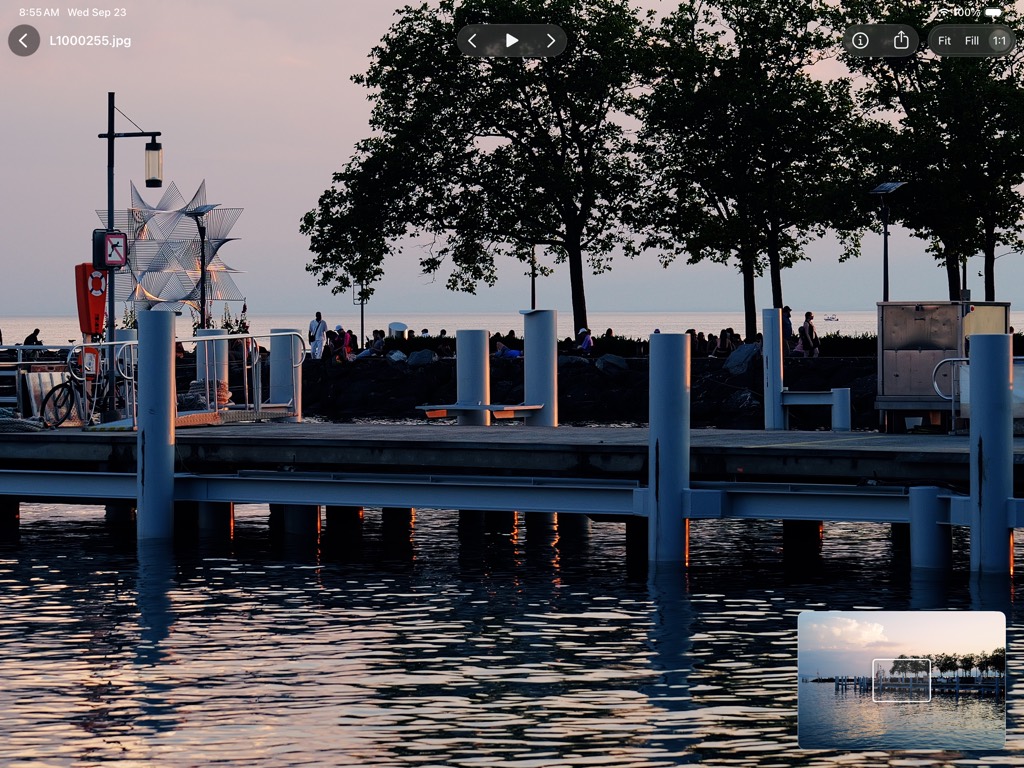
The pier photograph on the iPad with no controls showing.

Open one, and it is the photograph and nothing else.

The same photograph with the controls showing: back, the filename, previous, play and next, share, info, and fit, fill and 1:1.

One tap brings the controls. One tap sends them away.

The photograph at 1:1 on the iPad, with the navigator showing which part of the frame is on screen.

Pinch, and you are in the pixels, the whole file at its full size. A memory card in the port is a folder like any other.

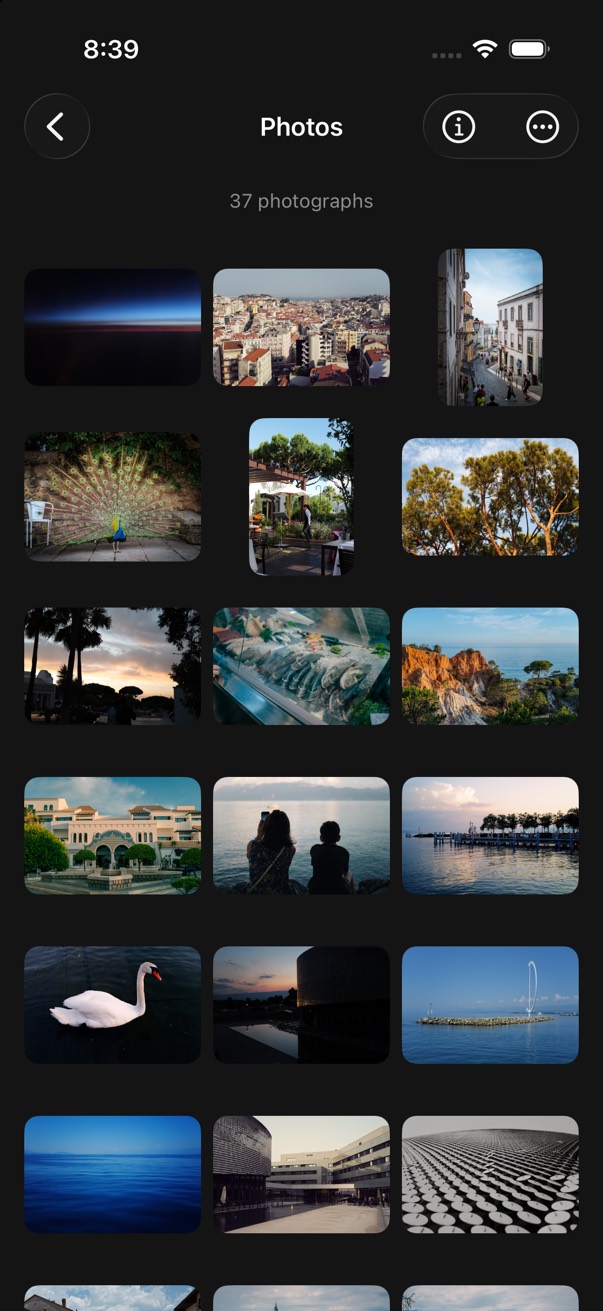
Baryta on iPhone. A grid of photographs three across, under the folder's name.

In your pocket.

The same drive, the same folders.

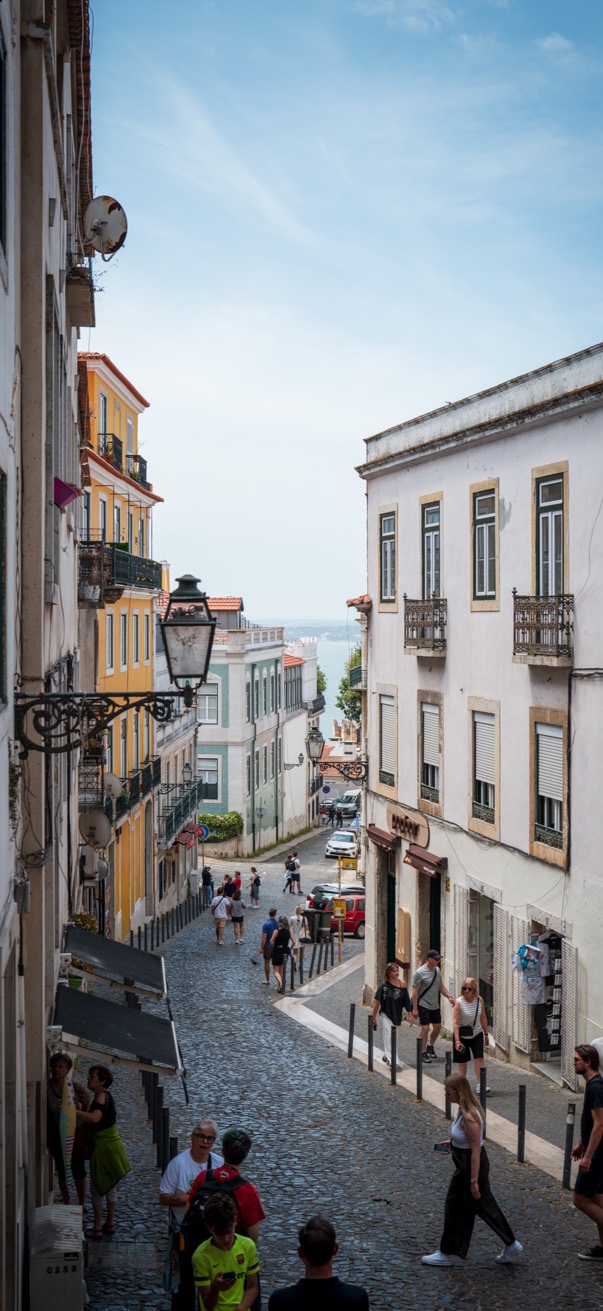
A portrait photograph of a Lisbon street filling the iPhone screen.

Tap one.

It knows the way to your NAS.

Baryta reads the drive you already have, switched on and shared the way it is. Synology, QNAP, TrueNAS, unRAID, Asustor, or a folder on the Mac. If the Finder can see it, Baryta can see it.

It never changes a file.

It only looks. Every picture is shown exactly as you finished it, at its full size, and nothing is re-saved. RAW files stay with your editor and out of the grid.

Yours, still.

No account. No tracking. Nothing in the app that phones home. The App Store privacy label reads Data Not Collected.

$24.99, once.

One purchase for the Mac, the iPad and the iPhone. The Apple TV version is with App Review and arrives on the same purchase.

Requires macOS 26, iPadOS 26 or iOS 26.

Get it on the App Store

The sheet

Sources
SMB 2 and 3·DLNA·folders on the Mac·folders in Files·cards and drives in the USB-C port
Formats
JPEG·HEIC·PNG·TIFF·every still format the OS decodes·wide gamut·HDR
Viewer
Fit, fill and 1:1·navigator·readout in three levels·slideshow with cut, dissolve and fade
Not included
Catalog·import·editing·RAW·video
Privacy
No account·no analytics·no third-party code·Data Not Collected
Price
$24.99, once·Mac, iPad and iPhone·Apple TV on the same purchase when it ships
Requires
macOS 26·iPadOS 26·iOS 26